
Setting up event registration often involves configuring multiple components, including registration dates, pricing, bundles, sessions, registration links, workflows, contacts, visibility, and exhibitor settings. Reviewing each of these individually can be time-consuming and increases the risk of overlooking an important detail.
Registration Overview is available for events that have been created and configured with registration settings. It serves as a convenient review page, bringing together the most important registration details so your team can verify the event setup before registration is made available to attendees.
Access the Registration Overview
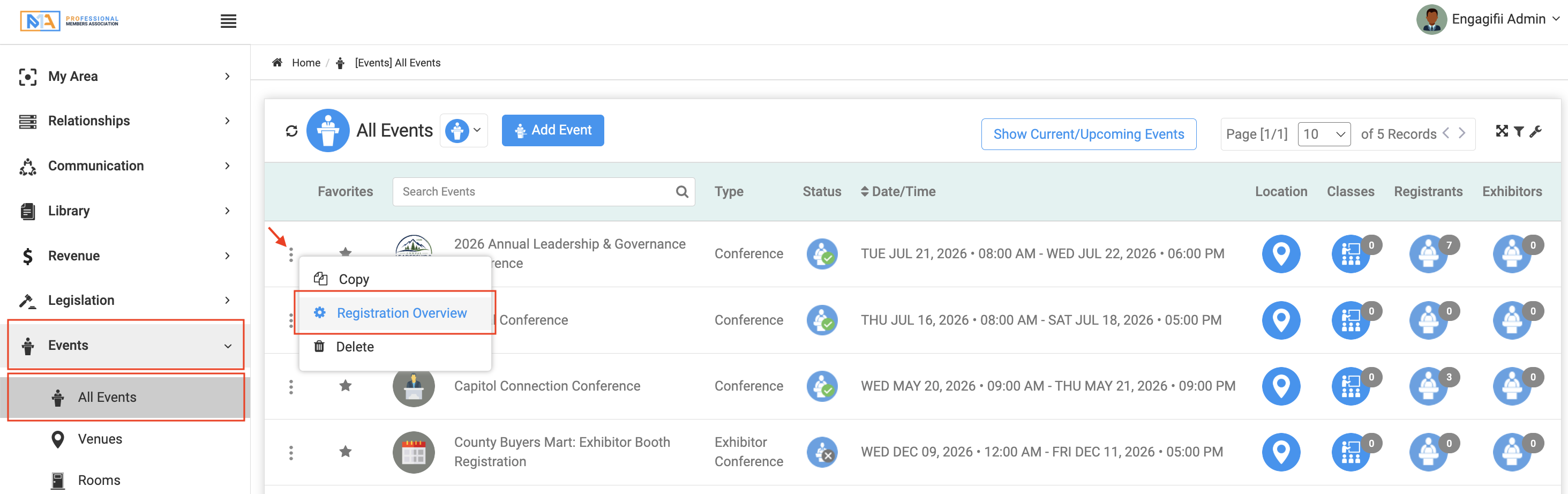
Navigate to your event and click on Three Dots, then select Registration Overview to review the registration-related configuration for that event.
The overview brings together important information that would otherwise be spread across multiple areas of the event setup, making it easier to verify your configuration before publishing or sharing your event.
Review Registration Settings in One Place
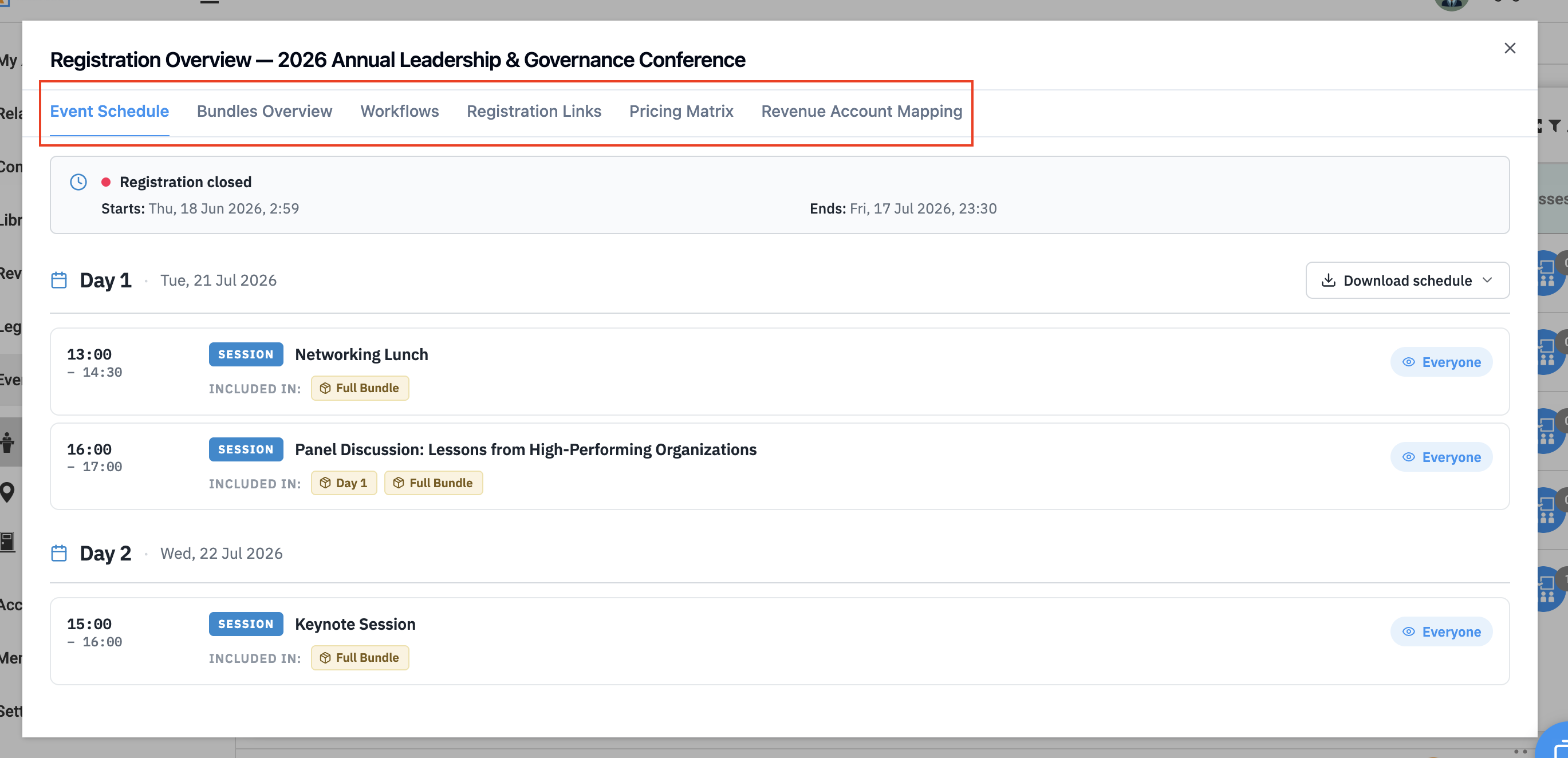
The Registration Overview provides a consolidated summary of the settings that affect the registration experience.
Depending on your event configuration, you can review information such as:
- Event schedule and registration dates
- Registration links
- Bundles
- Registration workflows
- Pricing matrix
- Revenue account mapping
- Related registration settings
Having these details available in a single location allows administrators to quickly verify that registration has been configured correctly before attendees begin registering.
Manage Registration Visibility
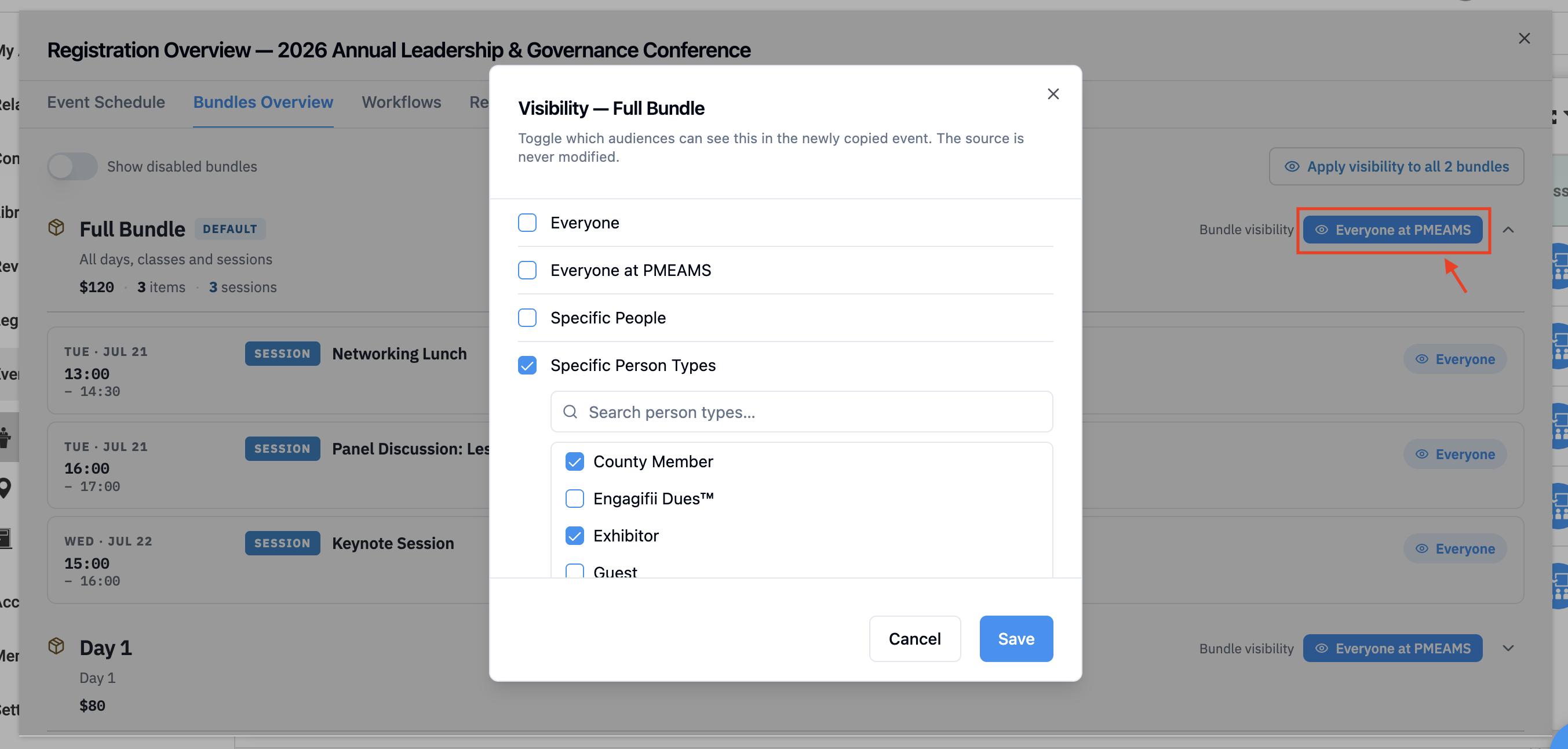
Registration Overview also makes it easier to review and update visibility settings before registration goes live.
From a single location, administrators can review visibility for:
- Event days
- Sessions
- Bundles
- Classes
Visibility changes can be applied to individual items or across multiple registration components, helping ensure that attendees only see the registration options intended for them.
Download the Event Schedule
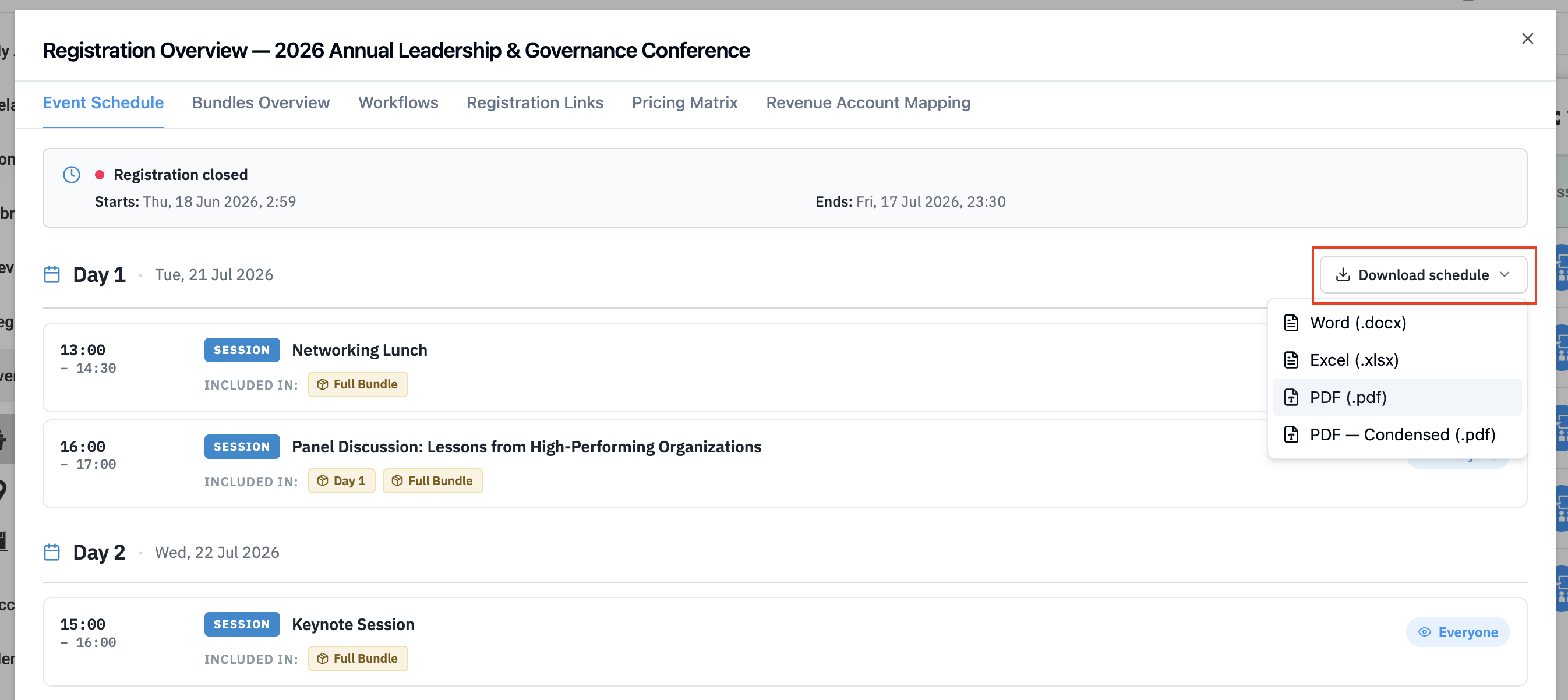
The Event Schedule section allows staff to download the event schedule for review or distribution.
Schedules can be exported in multiple formats, including:
- Microsoft Word
- Microsoft Excel
The exported schedule includes important event information such as session titles, dates, times, and other schedule details, making it easy to share agendas internally or with attendees.
Best Practice
Before publishing your event or sharing the registration link, review the Registration Overview to confirm registration dates, pricing, visibility, bundles, workflows, and other key settings. Taking a few minutes to verify these details can help prevent registration issues and reduce last-minute errors and changes.
Conclusion
Registration Overview serves as a final checkpoint before your event goes live. By bringing your registration settings, visibility, pricing, schedules, and related configurations together in one place, it helps your team verify that everything is accurate and ready for attendees, giving you greater confidence before opening registration. If you have any questions, please reach out to us at support@engagifii.com.